
About Course Sections#
What Is a Section?#
A section is the topmost category in a course. A section can represent a time period in a course, a chapter, or another organizing principle. A section contains one or more subsections.
Viewing Sections in the Outline#
For more information see About the Course Outline.
Sections and Visibility to Learners#
Learners cannot see any content in a section if the section’s release date is unscheduled or has not passed.
If a section’s release date has passed, learners can see content in the section if:
The release date for the subsection that contains that content has passed.
The unit has been published.
The unit is not hidden from learners.
Setting the Release Date for Sections#
For the content of a section to be visible to learners, the section must be released. To set the release status for sections, follow these steps.
From the three-dot menu at the section level, choose Configure.

On the Basic tab, locate the Release date and time section.
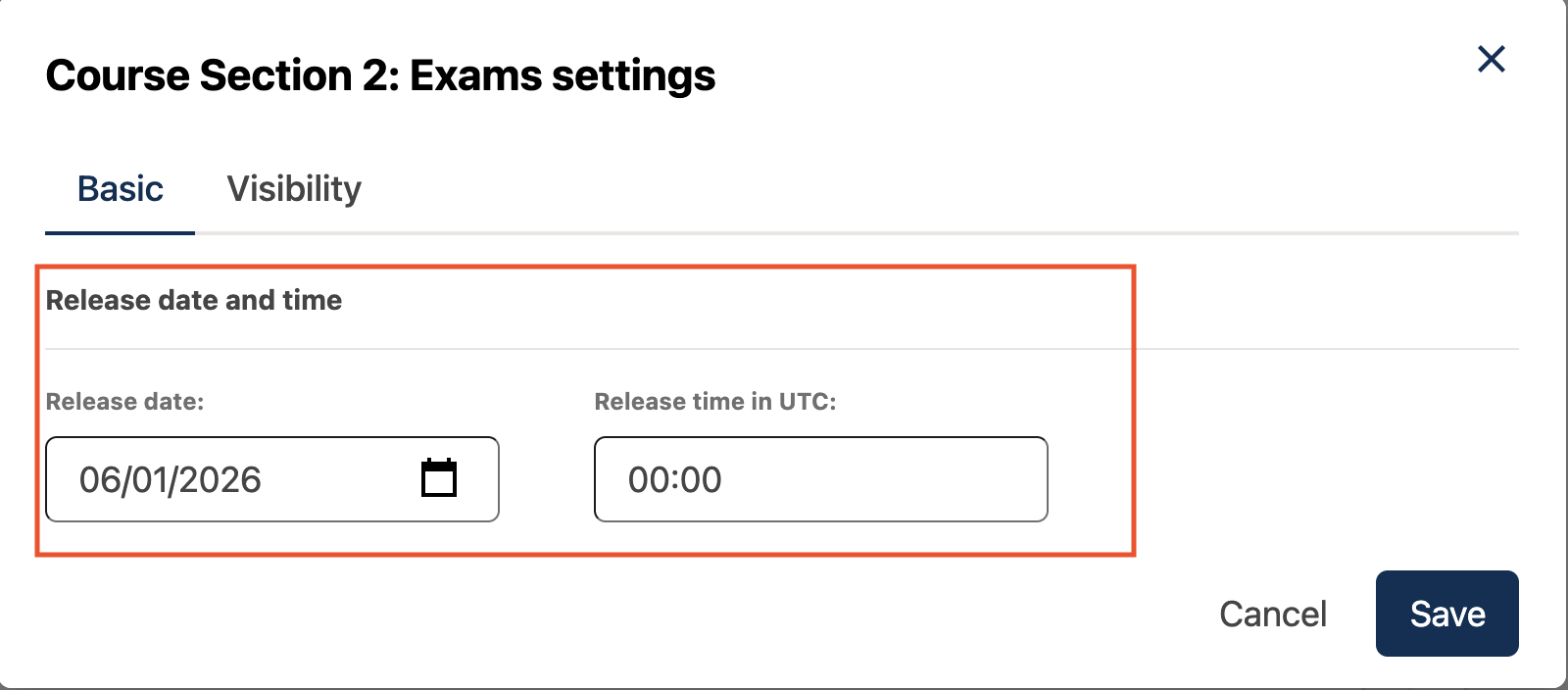
For Release Date and Release Time in UTC, enter or select a due date and time for problems in this section.
Note
The time that you set is in Coordinated Universal Time (UTC). You might want to verify that you have specified the time that you intend by using a time zone converter such as Time and Date Time Zone Converter.
Learners who have specified a time zone in their account settings see course dates and times converted to their specified time zone. Learners who have not specified a time zone in their account settings see course dates and times on their dashboards, in the body of the course, and on their Progress pages in the time zone that their browsers specify. Learners see other course dates and times in UTC.
Understanding Section Statuses#
Unscheduled#
If the course start date is unchanged from its
default value, 1/1/2030 00:00:00 UTC, when a new section is created, its
release date will appear as Unscheduled. When the section release date is
unscheduled, learners cannot see any content in that section, regardless of
the publishing status of that content.
If the course start date has been modified, when a new section is created, the default release date is the course start date.
To make the content available to learners, the release date must be scheduled.
Scheduled#
A section that is scheduled for release on a future date will not be visible to learners until after the release date. Regardless of the publishing status of content within the section, the entire section will not be visible to learners.
The scheduled date must pass for the section to be visible to learners.
Released#
A section that is released is visible to learners; however, learners see only subsections within the section that are also released, and units that are published.
Released with Unpublished Changes#
If a unit in a released section is changed but the changes aren’t published, learners see the last published version of the modified unit.
The unit must published for learners to see the updates.
Staff Only Content#
A section can contain a unit that is hidden from learners and available to members of the course team only. That unit is not visible to learners, regardless of the release date of the section or subsection.
See also
Guide to Course Content Development (reference)
Create a New Course in Studio (how-to)
About the Course Outline (concept)
Manage Course Outline (how-to)
Modify Settings for Objects in the Course Outline (how-to)
Publish Content from the Course Outline (how-to)
About Course Subsections (concept)
About Course Units (concept)
Manage Course Sections (how-to)
Manage Course Subsections (how-to)
Manage Course Units (how-to)
View As Learner (how-to)
Maintenance chart
Review Date |
Working Group Reviewer |
Release |
Test situation |
2025-11-16 |
sarina |
Ulmo |
Pass |