
Library Updates in the Ulmo Release#
Ulmo adds authoring support for Sections and Subsections (also known as “structural blocks”) in Libraries. You can now author all levels of content for reuse in courses. Included are improvements to syncing changes made in a Content Library to content that has been reused in courses.
Also new is a method of migrating Legacy Library content to the new Content Libraries experience. Migrated content can be edited, and changes can be published to courses that used the Legacy Library content.
Migrate Legacy Libraries
In Verawood, Legacy Libraries will no longer be supported. Migrate legacy libraries to maintain functionality. To learn more view the Migration documentation.
Structural Blocks in Libraries#
Content Libraries now support Sections and Subsections authoring. With these improvements, all levels of content can now be authored in Content Libraries and reused in courses.
Structural Block Authoring#
Author Sections, Subsections, Units, and content blocks within Libraries.
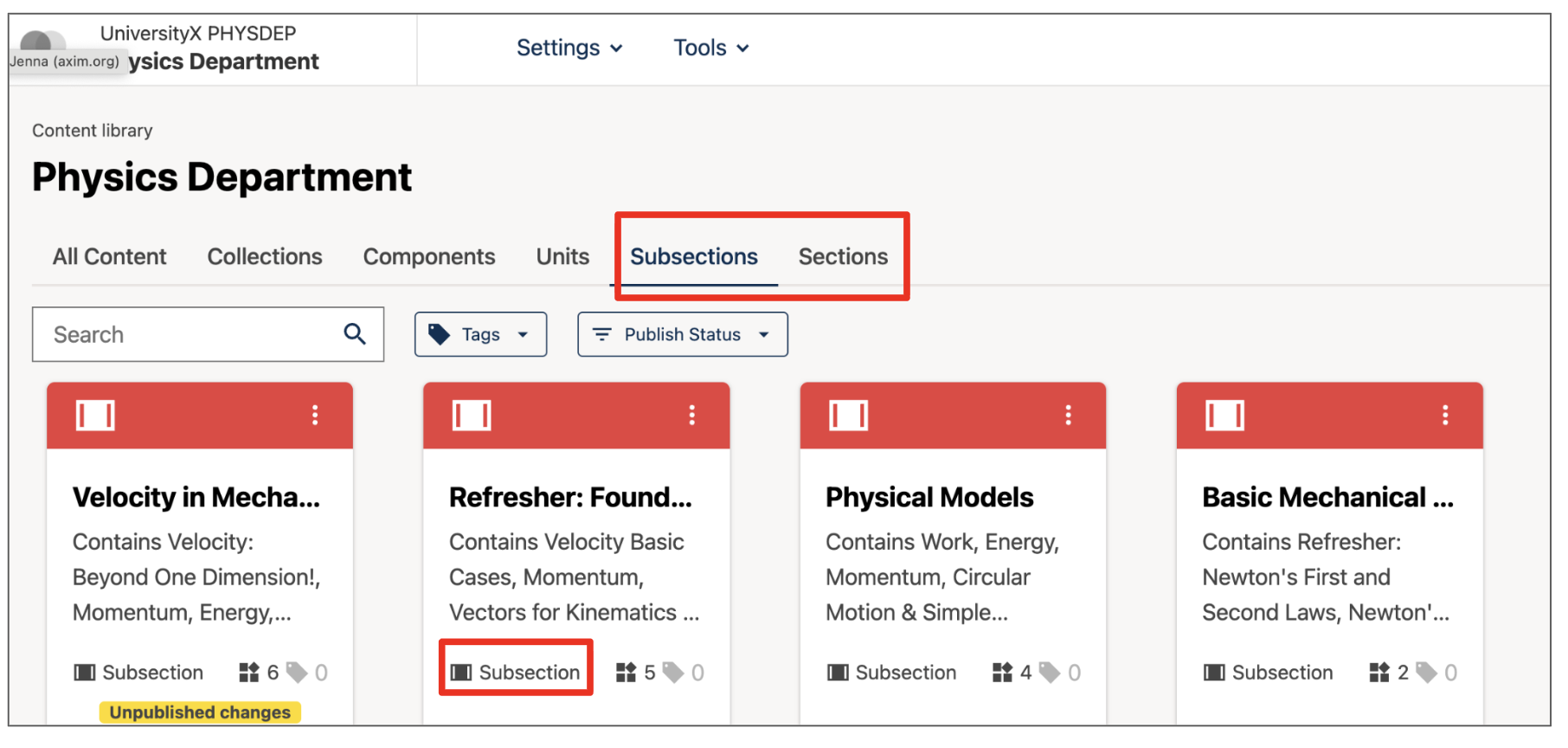
Homepage View of Libraries#

Full page view of a Section in a Content Library#
Content Library to Course Publishing#
Newly created content or edits can be published via the new publish flow. Publishes to structural blocks will publish all contained content. For example, this means publishing a subsection will also publish all the units and content blocks contained within that subsection.

View how publishing affects content in the new Publish confirmation#
Improvements to Syncing Library Changes to Courses#
Course authors can quickly and easily see changes made to Library Section and Subsection content from within the course authoring interface. When changes to library content are published to courses, course authors can choose to accept or ignore these changes. In Ulmo, educators can compare the current course content with the published changes side-by-side in a new pop-up. View changes by clicking on the sync icon from the Course Outline or Unit pages, or from the Library Updates page (accessible via the Content drop down menu).
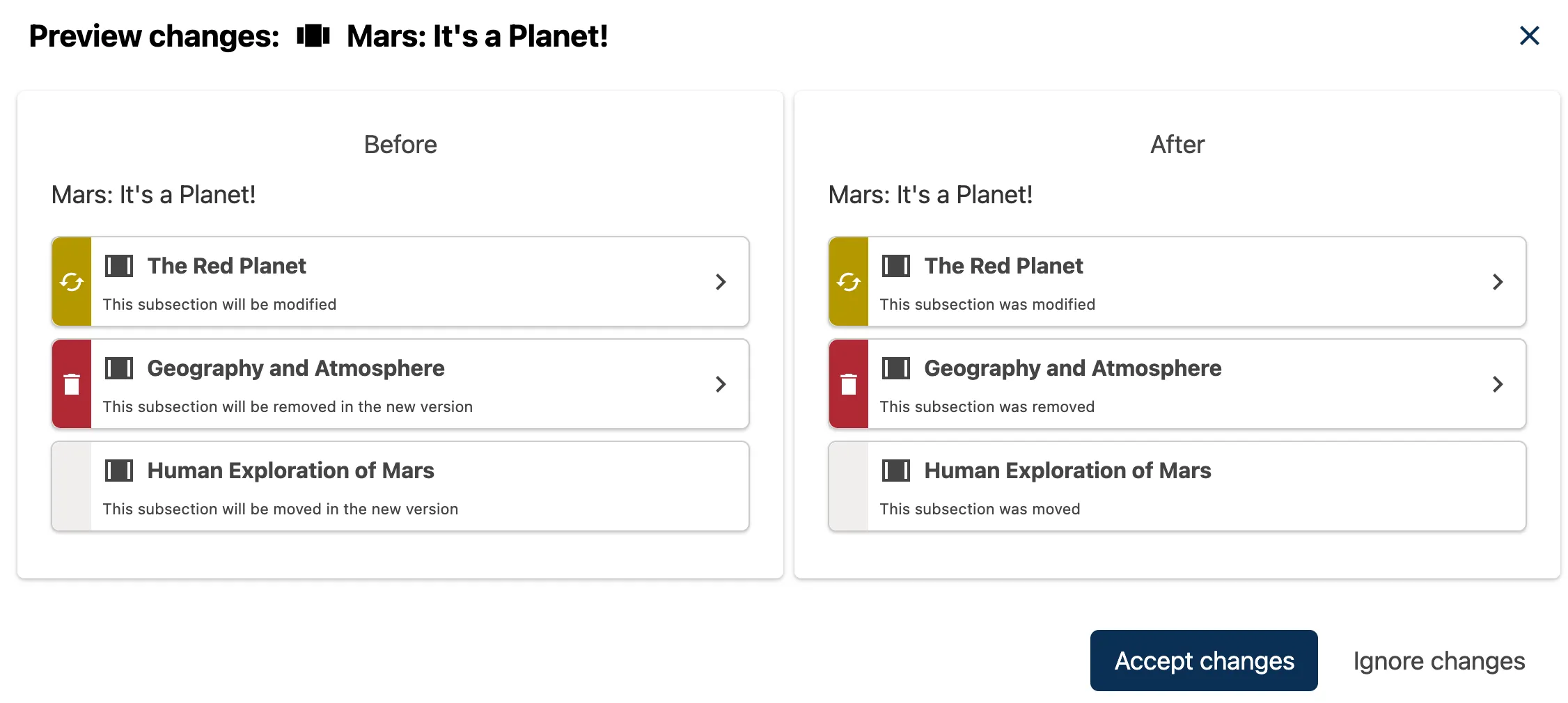
The “Preview changes” pop-up now shows more detail on what happens to content when changes are available#
See Sync Library Subsections or Sections for more detail.
Legacy Library Migration#
With the new migration feature, Legacy Library content can now be moved into a Content Library. This enables editing, remixing, and reusing content without breaking courses that used the Legacy Library. Courses that use Legacy Library content can receive updates made to the migrated content.
Note
To receive updates in courses that previously used Legacy Library content prior to migration, educators must update the references in the courses. To learn more, see the Legacy Library Migration documentation.
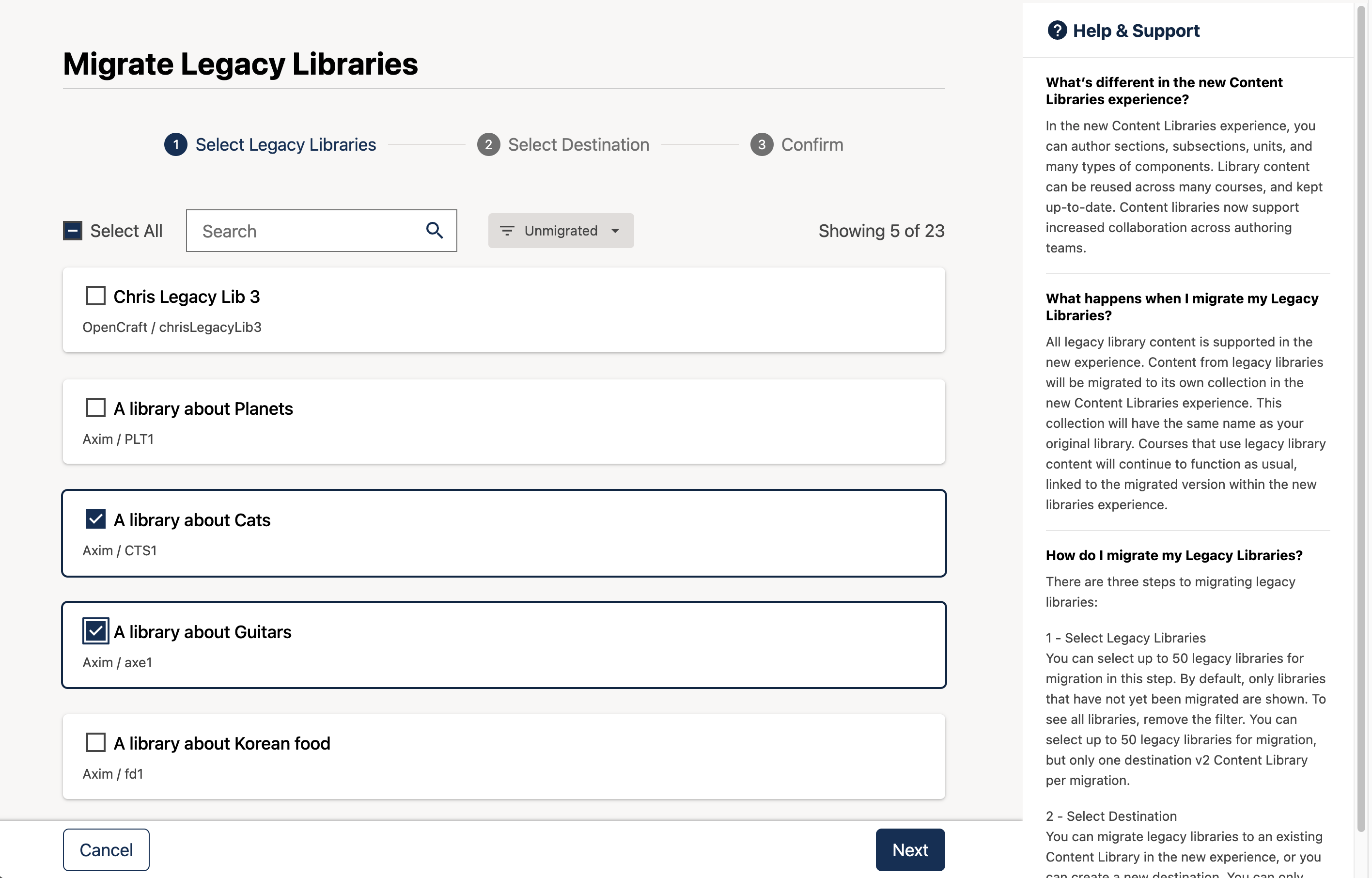
The new Migrate Legacy Libraries tool#
Full Documentation#
All content management functionality extends to subsections and sections, including:
Subsections and sections can be searched, sorted and filtered, enabling easy discovery and management
Subsections and sections can be added to collections
Subsections and sections can be tagged
Subsections and sections can be published
Subsections and sections can be reused in courses
Subsections and sections can be updated in a library and synced centrally
See also
Create and Edit New Subsections and Sections
Sync Library Subsections or Sections
Create and edit content in a Library
Maintenance chart
Review Date |
Working Group Reviewer |
Release |
Test situation |
2025-12-12 |
Product WG |
Ulmo |
Pass |