
Introducing the Administrative Console#
The Ulmo release introduces the first version of the Administrative Console, a central place where administrators can manage access for Open edX tools, starting with Roles and Permissions in Libraries. The console is designed as an extensible UI that will later support additional administrative workflows and integrations. It is powered by the new roles and permissions model and is intended to serve as a general purpose admin tool.
What is in Ulmo for the Administrative Console#
In Ulmo, the Administrative Console focuses on managing access to libraries that use the new Roles and Permissions service:
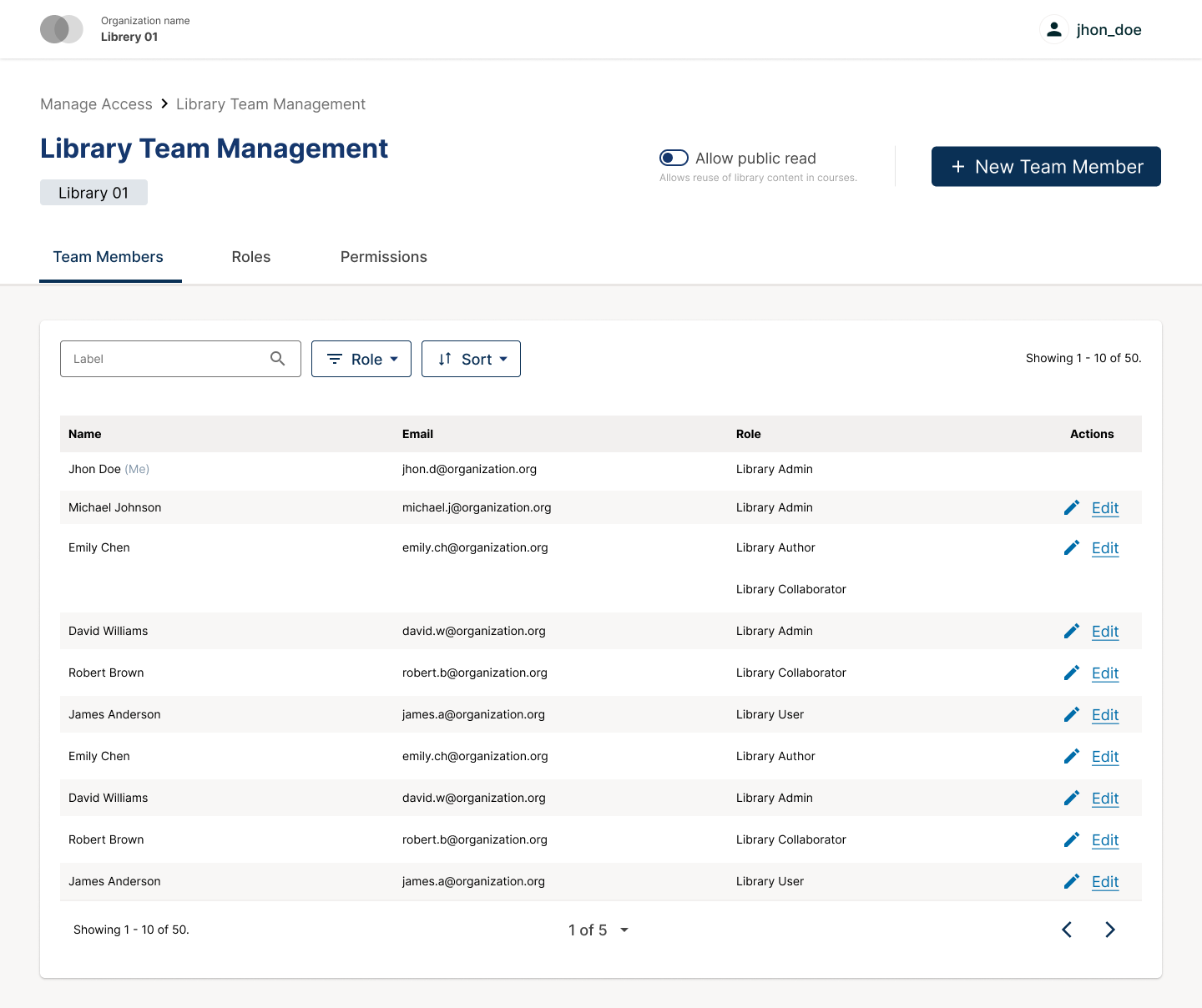
A library team management page that shows all users who have access to a library, the roles they hold, and the available role definitions.
A list of users who have access to libraries across the instance, including which libraries they can access and at what scope.
An overview of Library Roles and what each role allows a user to do in a library, for example view, edit, publish or manage the team.
Search and filters by user, email, role and library so administrators can quickly see who has access where.
The ability to grant, update or revoke access by assigning or removing roles for a specific library. Users can hold more than one role and their effective access is the combination of those roles.
How to Access the Administrative Console#
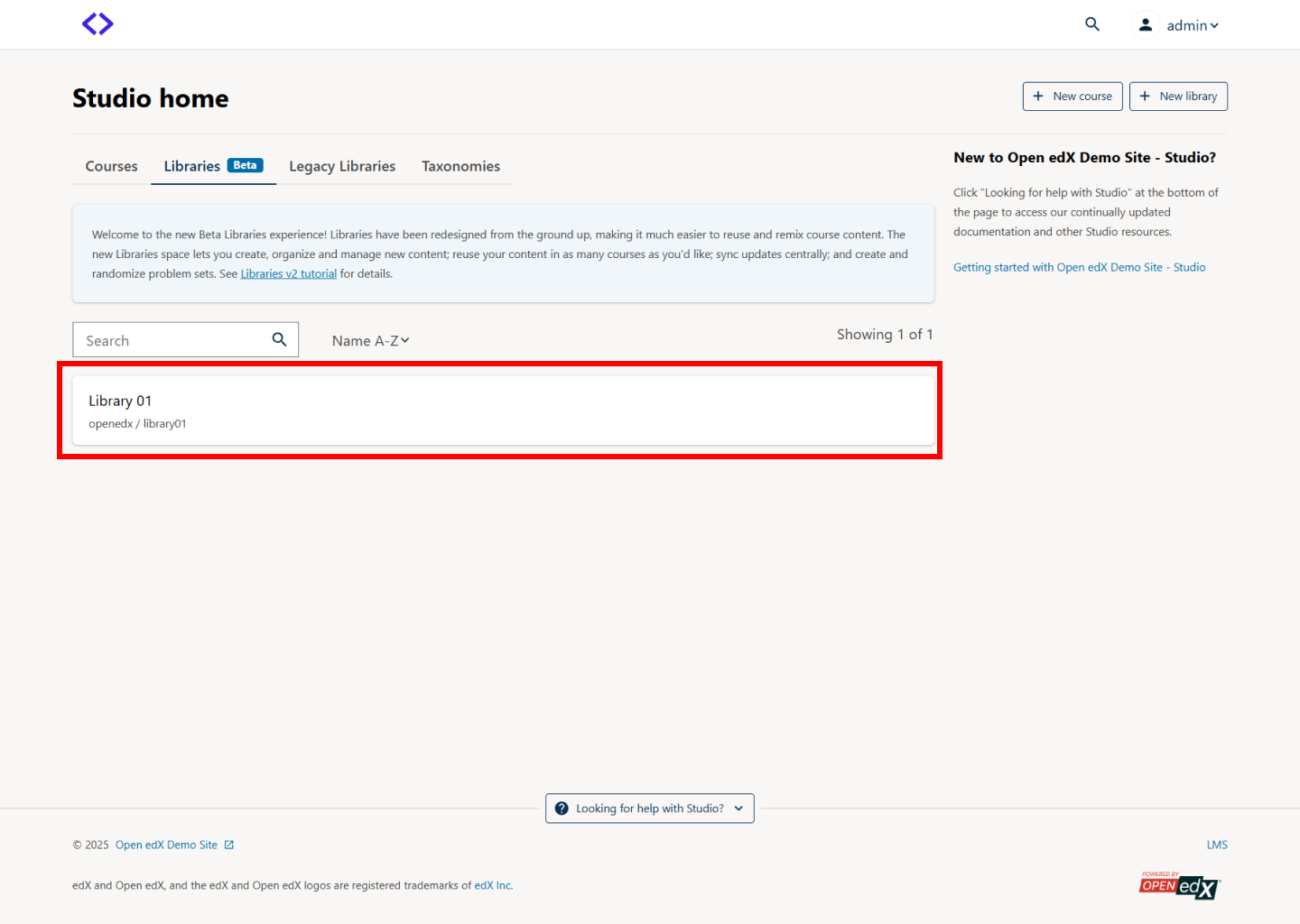
From Studio, open a library where you already have a role.
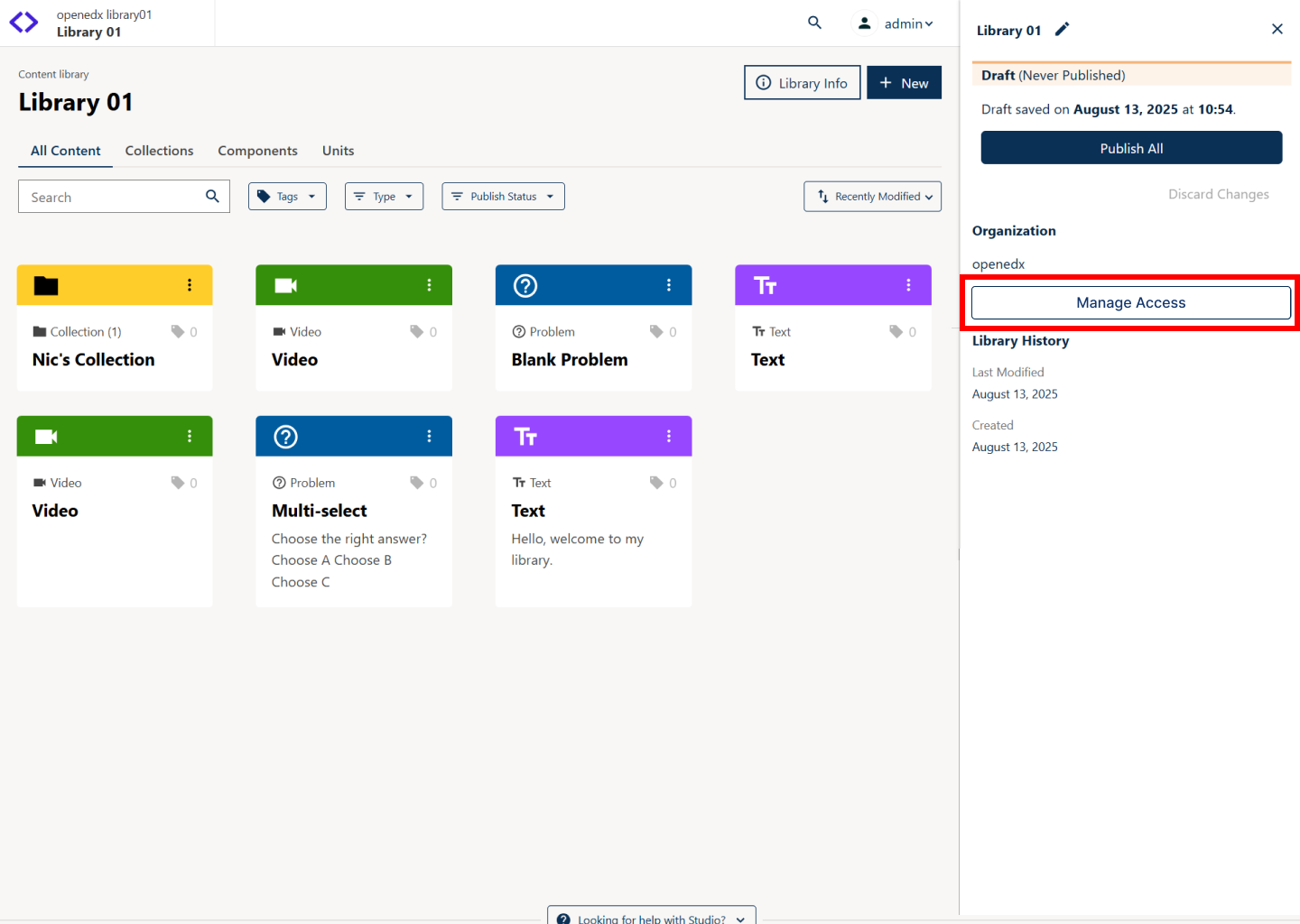
Use the Manage Access button in the right tray for that library to open the Administrative Console in a new tab, already focused on that library.
From this view, Library Admins and global admins can review the team, adjust roles and confirm that access looks correct. See Manage Library User Access for more detail.
Scope and Impact#
The scope of the Administrative Console in Ulmo is limited to Content Libraries, not Legacy Libraries.
For deployments that already use the Content Libraries, the main impact is that team management for libraries moves into the Administrative Console.
Out of Scope#
The following capabilities are not included in this first release of the Administrative Console:
Managing access for courses, forums or other areas beyond Libraries.
Managing platform settings that are not related to access, such as general configuration, integrations or content settings.
Future Improvements#
After Ulmo, the Administrative Console is expected to evolve in several directions:
Hosting additional Roles and Permissions scopes such as courses, forums or other product areas.
Introducing richer administration views that span multiple scopes, for example, seeing a user’s access across libraries and courses in one place.
Adding other platform level configuration panels, for example user groups or external integrations.
This release focuses on delivering value for library access management while preparing the architecture for future extensions.
See also
Maintenance chart
Review Date |
Working Group Reviewer |
Release |
Test situation |
2025-12-05 |
Product WG |
Ulmo |
Pass |