
Introducing Activity Notifications#
The Ulmo release introduces a new Notifications experience that helps learners and instructors stay informed about course activity. This is the first release where the feature is available and more upgrades are underway.
Notification Tray#
A bell icon (🔔) in the upper right corner of all pages shows unread notifications count across discussions, grading, and course updates. Clicking on the icon opens the tray which displays notifications organized by platform area.
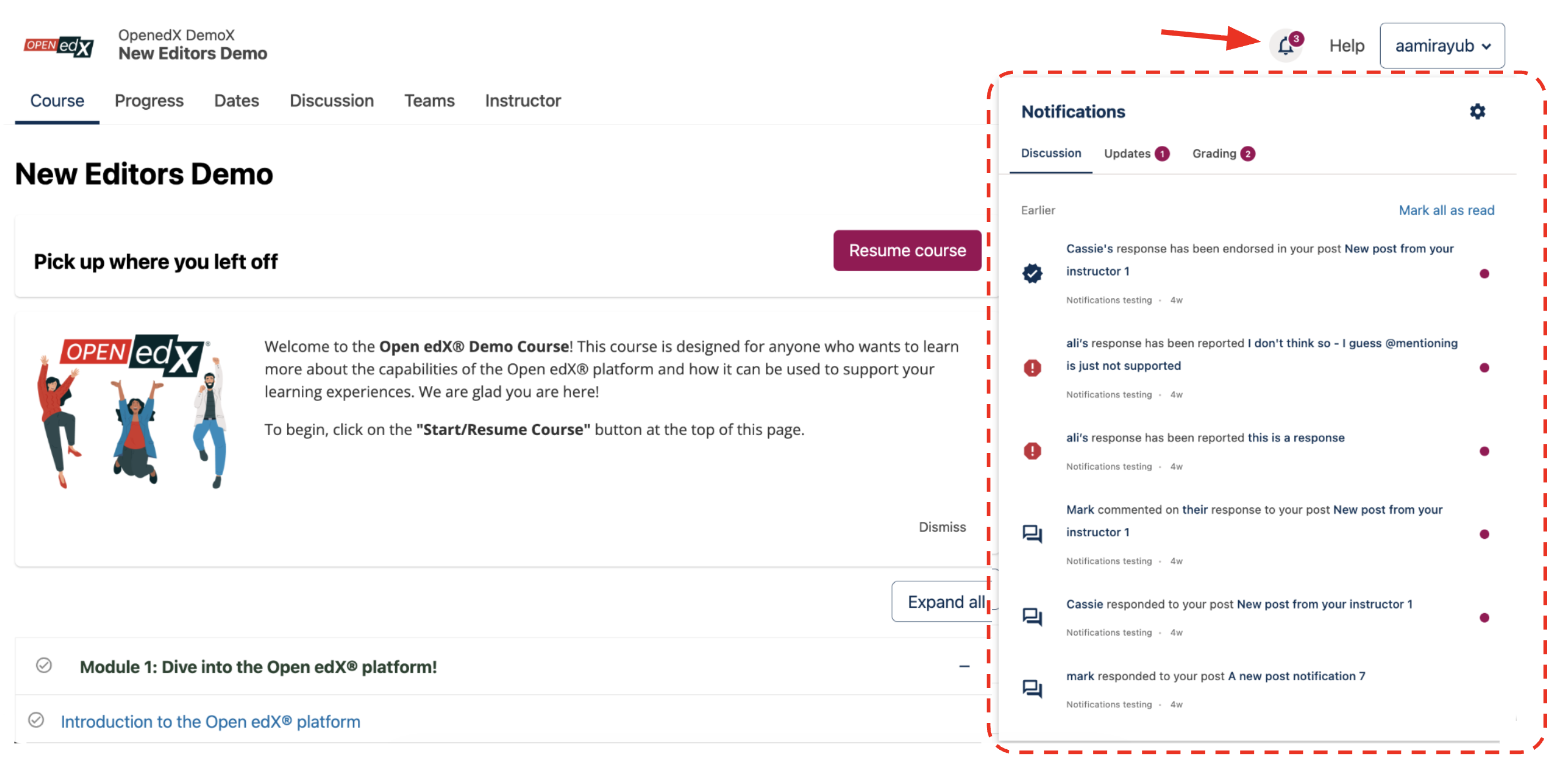
Web interface showing the notification bell icon with an unread count, and the notification tray expanded#
Email Notifications#
Users can receive notifications by email, with flexible delivery options: immediately, daily, or weekly.
Daily and weekly emails contain notifications from the past 24 hours and 7 days, respectively. Site operators can configure schedule of these emails.
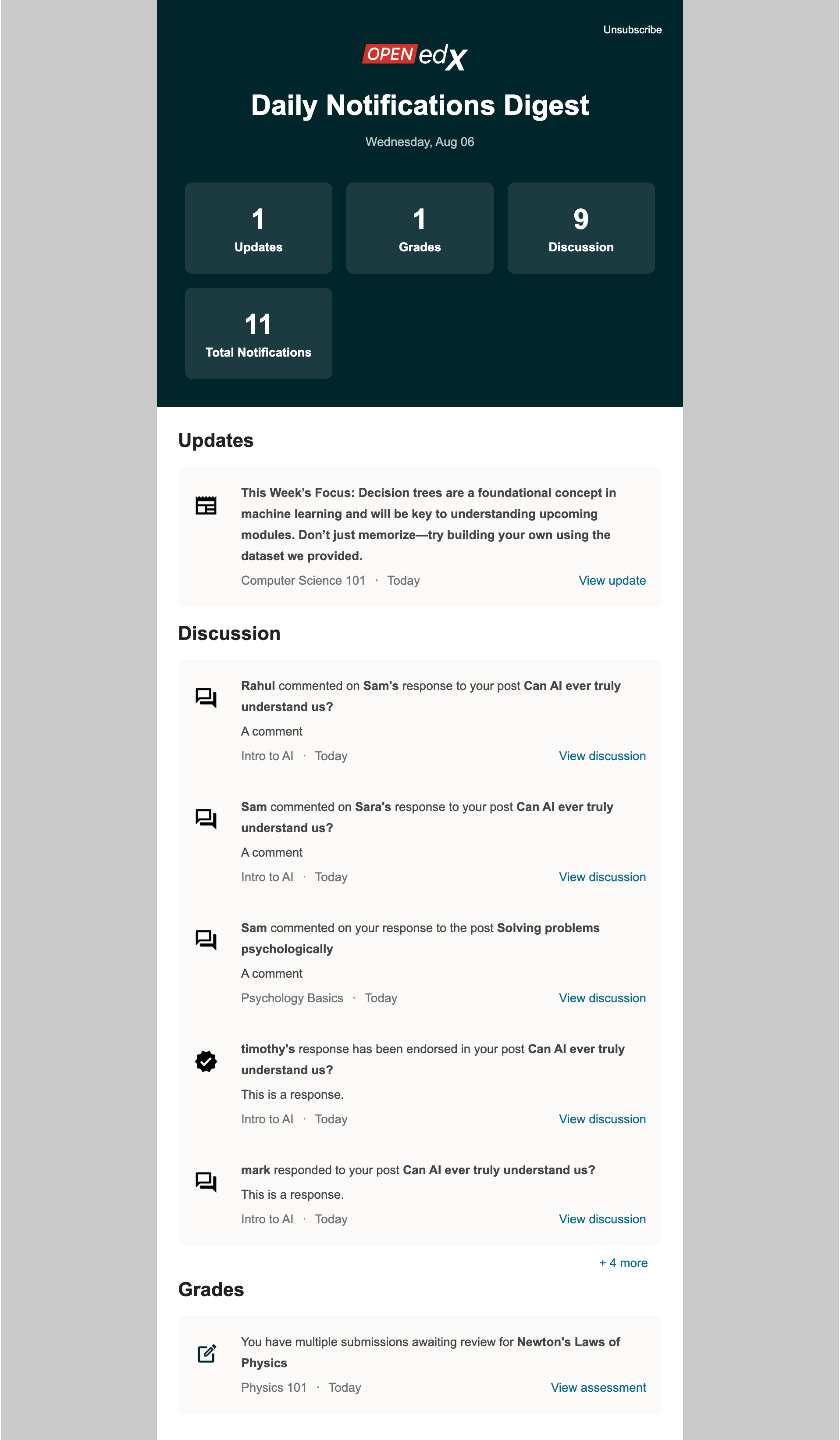
Daily email digest displaying notifications from Discussions, Grading, and Course Updates.#
Notification Preferences#
Notification preferences on the user Account Settings page allows users to choose which activities they want to hear about, how often, and through which channels (in-platform tray and/or email).
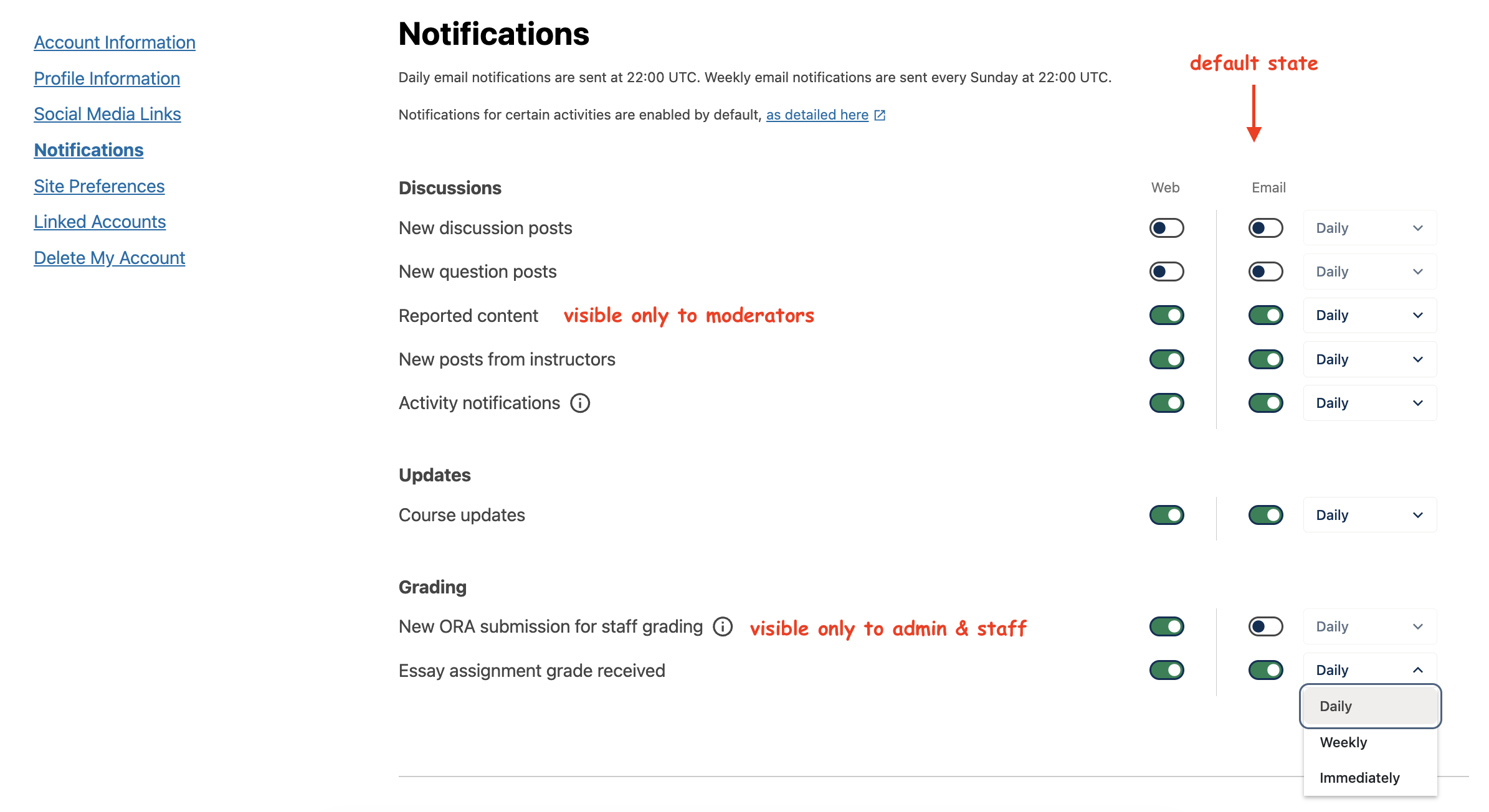
Notification preferences on the Account Settings page, showing toggles for enabling tray and email notifications and dropdown menus for selecting email frequency.#
Supported Activities#
The table below summarizes all supported activities and their corresponding preferences.
# |
Activity |
Recipients |
Preference Name |
Tray Default |
Email Default |
|---|---|---|---|---|---|
1 |
New response on your post |
Post author |
Activity Notifications |
ON |
Daily |
2 |
New comment on your post |
Post author |
|||
3 |
New comment on your response |
Response author |
|||
4 |
New response on a post you follow |
Post follower |
|||
5 |
New comment on a post you follow |
Post follower |
|||
6 |
Response on your post is endorsed |
Post author |
|||
7 |
Your response is endorsed |
Response author |
|||
8 |
A new discussion-type post |
Anyone |
New discussion posts |
OFF |
OFF |
9 |
A new question-type post |
Anyone |
New question posts |
OFF |
OFF |
10 |
A new post from the course instructor |
Anyone |
New posts from instructors |
ON |
Daily |
11 |
A post has been reported |
Forum moderators |
Reported content |
ON |
Daily |
12 |
A response has been reported |
||||
13 |
A comment has been reported |
||||
14 |
New course updates |
All enrollees in a course |
Course updates |
ON |
Daily |
15 |
New ORA submission for staff review |
Staff, Admin on a course |
New ORA submission for staff |
ON |
OFF |
16 |
ORA grade awarded to learner |
Learners |
ORA grade received |
ON |
Daily |
Documentation#
For instructions on using Notifications in courses, managing preferences, reviewing activity, and understanding delivery settings, please refer to the Notifications & Preferences.
For site operators, configuration options are available in the Operator release notes.
Maintenance chart
Review Date |
Working Group Reviewer |
Release |
Test situation |
2025-12-05 |
Product WG |
Ulmo |
Pass |